
Widget Lite + Widget Pro + WordPress Lite / Pro
Accessibility tools for WordPress and standalone websites.
ADecksibility gives users a practical control panel for reading, display, and navigation support. It supports accessibility work, but does not replace expert review.
- Free Widget Lite
- Widget Pro demo
- WP Lite & Pro downloads
- Clear product positioning
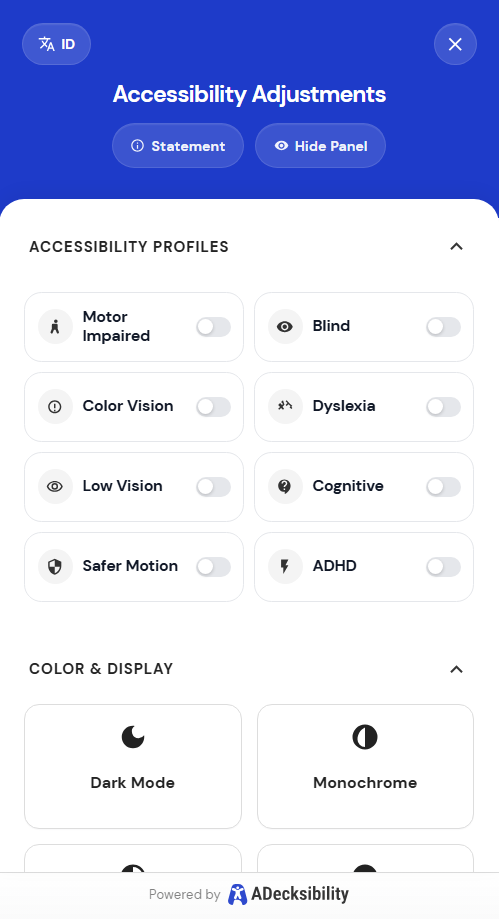

Live Widget Demo
Try the widget directly on this page.
Widget Lite
Install Widget Lite in a few quick steps.
Start with one script tag. Add custom setup only if you need it later.
1
Use the public Widget Lite script
Use the free Lite script below.
2
Place it before the closing body tag
Paste it near the end of your page.
- Website builder or custom HTML site: paste it before
</body>. - CMS or template system: place it in the shared footer template.
- WordPress users: use the plugin download buttons below instead of the standalone script.
3
See the richer widget directly on this page
This page also loads the fuller widget demo so visitors can try it right away.
WordPress Downloads
Download WordPress Lite or Pro.
Use these packages for direct WordPress testing.
WP Lite
Core control panel for WordPress.
WP Pro
Fuller dashboard and premium package.
Deployment Note
Replace these links with final hosted ZIP URLs when the site goes live.
Use Cases
Built for teams that want practical accessibility controls.
For WordPress Sites
Use Lite or Pro plugin packages.
For Marketing Sites
Use Widget Lite outside WordPress.
For Responsible Rollout
Ship helpful controls without overclaiming.
Important Note
This is a helpful tool, not a compliance guarantee.
ADecksibility has not yet been reviewed by an independent accessibility expert. It should not be marketed as a full fix or a WCAG guarantee.
Next Step